SD.cpp Backend: stable-diffusion.cpp inside SwarmUI
Tool

SD.cpp Backend: stable-diffusion.cpp inside SwarmUI

Hartsy 0.1.6
comments, jump to the thread 69 views

Supported platforms

  • CUDA
  • CPU
  • Vulkan

Features

  • Z-Image, Flux, SD3 and SD3.5, SDXL, SD1.5 and SD2
  • Video through Wan 2.x, LTX-2.3, MiniMax-H3 and HunyuanVideo 1.5
  • Image editing with Kontext, Qwen-Image-Edit, Boogu Edit and more
  • GGUF quantized models in Q2_K, Q4_K and Q8_0
  • Automatic LoRA discovery from Models/Lora
  • IP-Adapter conditioning and an optional YOLOv8 detail pass
  • Auto-download of SD.cpp binaries from GitHub releases

System requirements

Device
CPU with AVX/AVX2, NVIDIA CUDA 11.x or 12.x, or Vulkan
Models
Models/Stable-Diffusion, with GGUF under diffusion_models
SwarmUI
Installed, extension enabled under Server > Extensions
Pinned SD.cpp
master-827-97d2990

Links

License

License
MIT
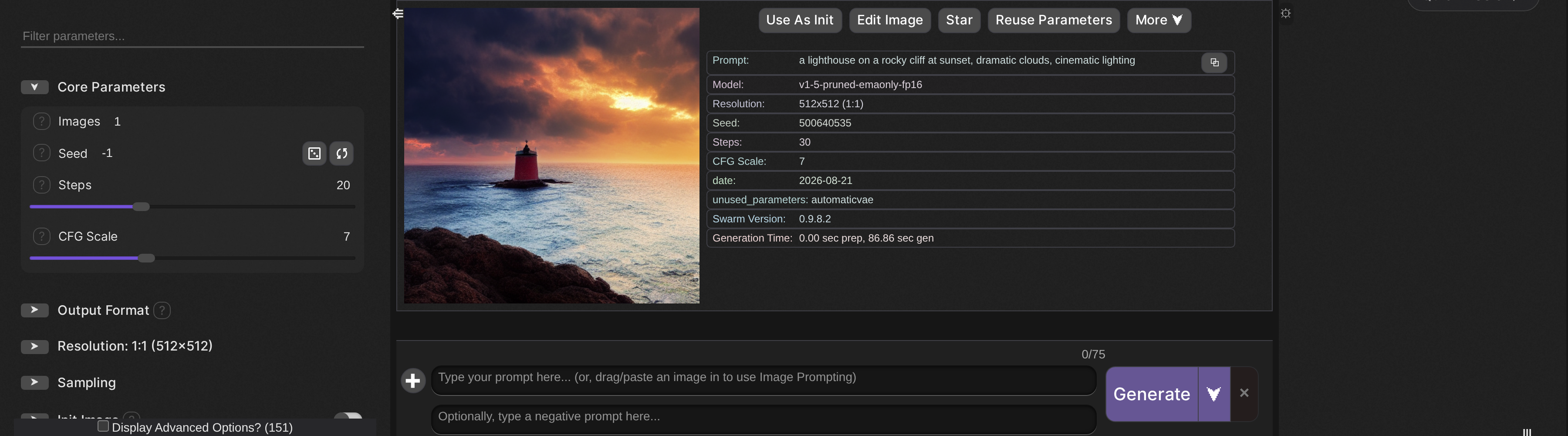
A generation through the SD.cpp backend.

This extension adds a SwarmUI backend powered by stable-diffusion.cpp. It runs image generation through an external SD.cpp executable on CPU, CUDA or Vulkan and integrates the results back into SwarmUI.

The value is coverage without a Python stack: GGUF quantization, a wide model list, and every SD.cpp command line flag surfaced as a real Swarm parameter rather than a text box you have to remember the syntax for.

What it supports

  • Z-Image with the required Qwen LLM text encoder.
  • Flux: FLUX.1-dev, FLUX.1-schnell and FLUX.2-dev, with automatic component management.
  • SD3 and SD3.5: multi-component architecture with CLIP-G, CLIP-L and T5-XXL.
  • SDXL, SD1.5 and SD2, the mainstream Stable Diffusion architectures.
  • Newer image models: Ideogram4, Krea2, Lens, ERNIE-Image, SeFi-Image, Mage-Flow, Boogu, LongCat-Image, PiD, MiniT2I and HiDream-O1, with the encoders and VAEs each one needs.
  • Video: Wan 2.1 and 2.2, LTX-2.3, MiniMax-H3, HunyuanVideo 1.5 and LingBot-Video, covering text to video, image to video and first and last frame modes. LTX-2.3 and MiniMax-H3 also decode the audio track they generate.
  • Editing: Kontext, Qwen-Image-Edit including 2509 and 2511, Boogu Edit, Mage-Flow-Edit, LongCat Edit and PiD, accepting several reference images at once.
  • IP-Adapter and ADetailer: reference conditioning for SD 1.5 and SDXL, plus an optional YOLOv8-driven detail repair pass.
  • ControlNet, experimental: a single ControlNet per job, with detection of unsupported setups.

Installing

Install it from Server > Extensions, press Install, and restart when prompted. Once installed it shows up in the installed-extensions table, where you can update, disable or uninstall it. To install by hand, close SwarmUI, clone the repository into SwarmUI/src/Extensions/SwarmUI-SD.cpp-Backend/, restart, and enable it under Server > Extensions.

The SD.cpp Backend row in Server > Extensions.

First run

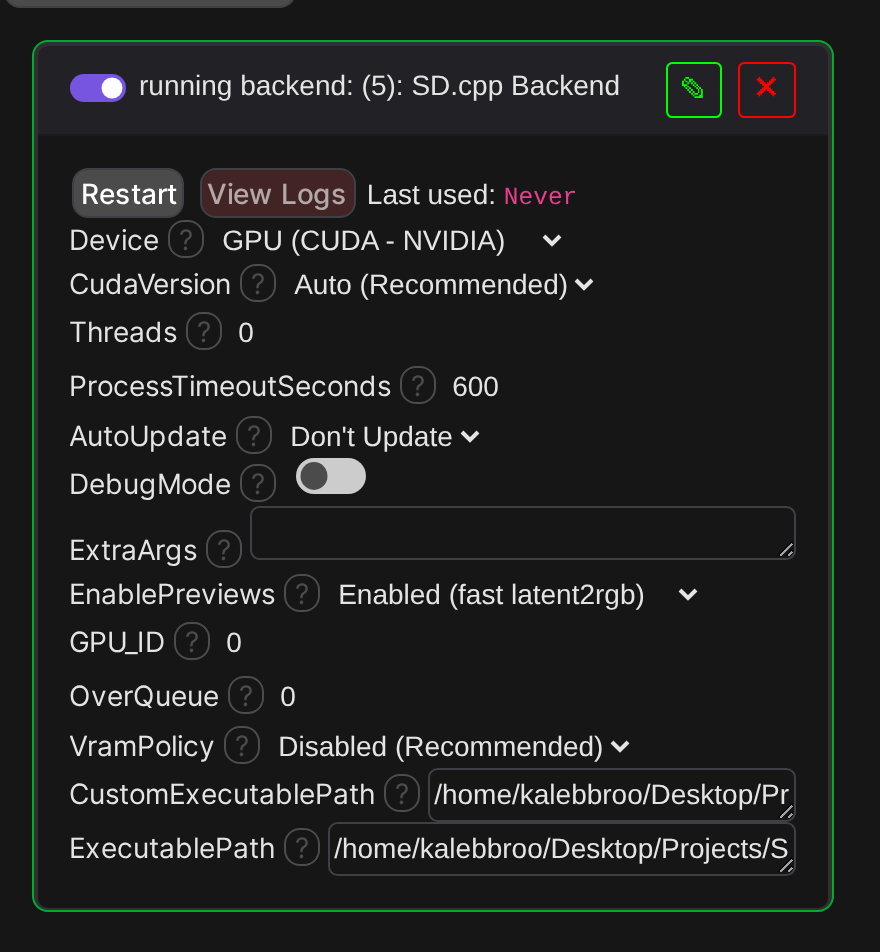
Open Server > Backends > SD.cpp Backend and choose your device: CPU, CUDA or Vulkan. On CUDA, leave the CUDA version on Auto unless you know you need 11.x rather than 12.x. The installer downloads the SD.cpp release into dlbackend/sdcpp/{device} and, on Linux, creates a run-sd-server.sh wrapper that always sets LD_LIBRARY_PATH to the binary directory before launching, so the bundled shared libraries resolve even on clean systems.

A green border and a running label mean the executable passed its startup probe. If it comes up errored, View Logs names the reason, and Custom Executable Path lets you point at your own sd-cli build when no prebuilt fits your system.

SD.cpp backend settings in Server > Backends

Place your models in Models/Stable-Diffusion/, with GGUF models under /diffusion_models/. Supported formats are GGUF, SafeTensors and CKPT or BIN.

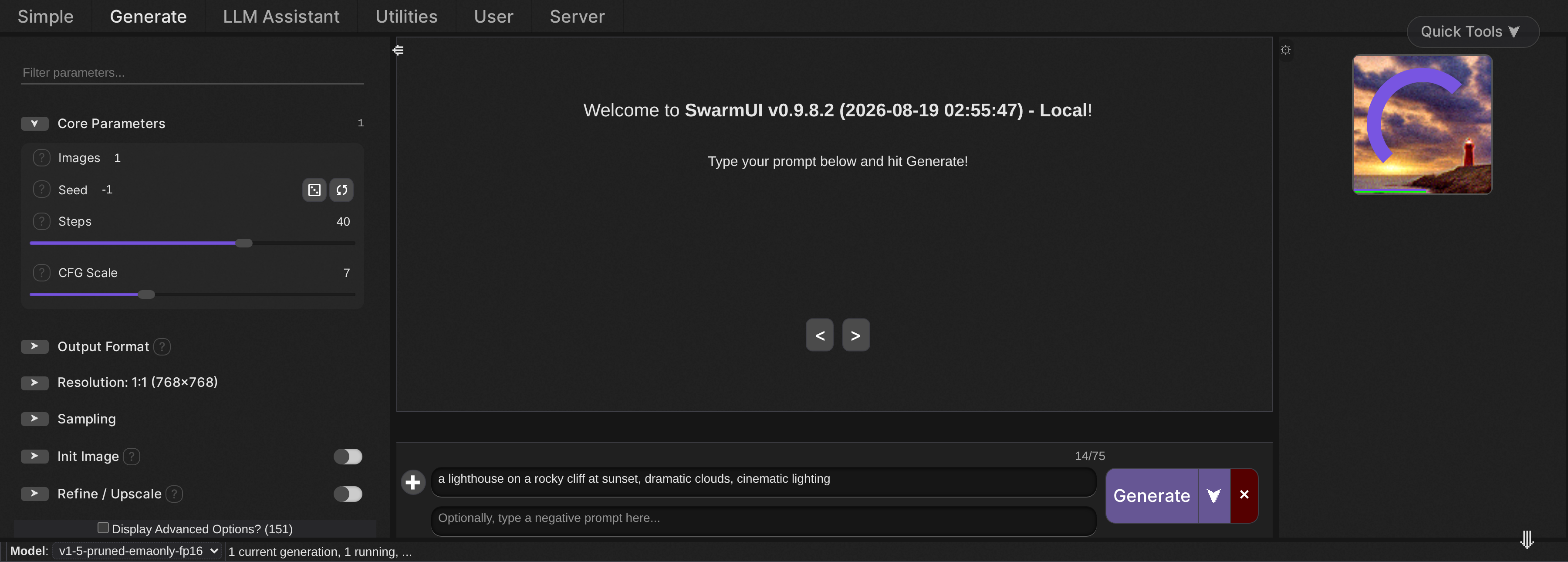
With a model selected, generation runs like any other backend, and previews stream into the batch strip on the right as SD.cpp works through the step count.

A generation in progress with a live preview.

Machine settings and parameters

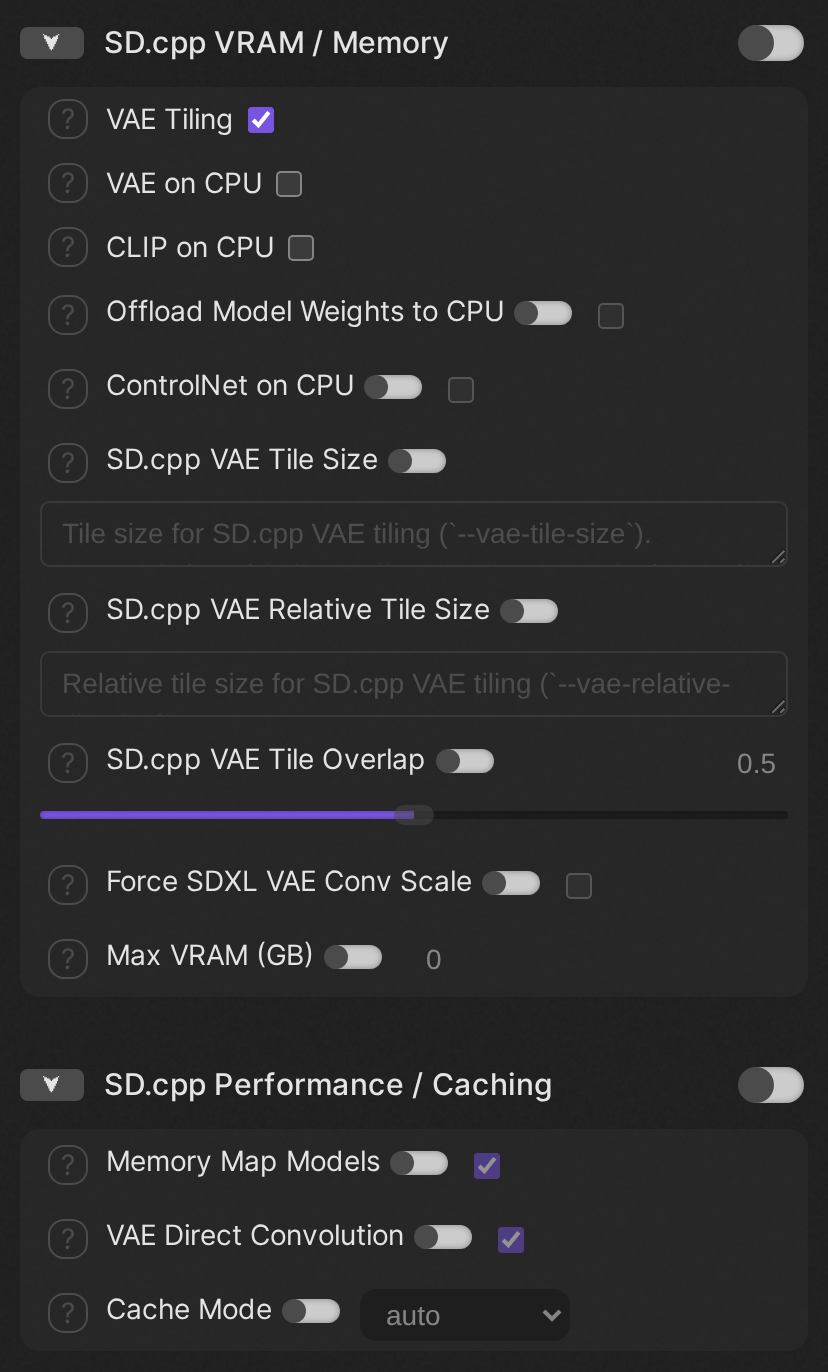
The SD.cpp VRAM / Memory and Performance / Caching groups

Anything that describes the machine rather than an individual image lives in Server > Backends next to the device picker, not in the parameter sidebar: backend assignment (--backend), params backend (--params-backend), eager load, split mode, RPC servers, stream layers, hires upscalers dir, and the VRAM policy switch between the Swarm-side ladder and SD.cpp's own --auto-fit.

Everything else is a Swarm parameter. They are organized into the standard Swarm groups, Sampling, Advanced Sampling, Advanced Video, Advanced Model Addons, Refine-Upscale and ControlNet, plus two SD.cpp-specific groups: VRAM / Memory and Performance / Caching.

Parameters are gated by feature flag, so you only see what the model you have loaded can actually use. PhotoMaker does not appear for Flux, Wan options do not appear for SD 1.5, and the high-noise group only appears for Wan 2.2. A model whose filename defeats architecture detection falls back to showing everything rather than nothing. The flags are namespaced, sdcpp_video and sdcpp_flux for instance, because SwarmUI unions feature flags across every enabled backend and an un-namespaced name could be satisfied elsewhere.

Every SD.cpp parameter is marked advanced, so tick Display Advanced Options at the bottom of the parameter sidebar before you go looking for these groups.

Group Examples
VRAM / Memory --max-vram, --offload-to-cpu, --vae-tiling, --vae-tile-size, CLIP on CPU, VAE on CPU
Performance / Caching --cache-mode, --cache-option, --mmap, --scm-mask, --scm-policy, --vae-conv-direct
Advanced Sampling --sigmas, --eta, --diffusion-fa, --prediction, --preview-interval, the SLG family

Each parameter maps to exactly one SD.cpp CLI argument, and the README carries the definitive table of which Swarm parameter emits which flag and which models it is shown for.

Measured performance

One measured data point so far. Treat it as a baseline to beat, not as a target.

Hardware Build Model Settings Result
RTX 3060 12GB, i7-9700K master-827-97d2990, CUDA 13.2, source build SD 1.5 fp16 768x768, 40 steps, euler_a, CFG 7, previews on 254 s total, about 6.3 s per step

Flags in play for that run: --diffusion-fa --diffusion-conv-direct --mmap --vae-conv-direct --cache-mode ucache --cache-option reset=1 --preview proj --preview-interval 1.

Performance is the honest weak spot right now. Generations are slow even on repeat runs, and the cache-dit, ucache and easycache integration is present but not yet delivering the expected speedups. CPU and Vulkan numbers for the same settings are still to come.

Comments

Your avatar